
凪 Nagi (nah-gee) — Japanese for the moment the sea turns calm and still.
An aquarium is a small, self-contained ecosystem — and keeping one thriving is genuinely hard, even for experienced aquarists. Nagi builds a digital twin of your tank and becomes your personal aquarium assistant: surfacing insights, running what-if simulations, and catching problems before they start. And when something is wrong, describe it in your own words — Nagi diagnoses the issue and walks you through a fix.
Build a digital twin of your tank in a couple of minutes — then let Nagi surface insights, simulate changes before you make them, and catch problems early. Three simple steps for you, with a coordinated team of expert models doing the careful thinking underneath.

Add a photo and your water details — or just snap a test strip. Nagi turns them into a living model of your tank that it remembers and reuses every time.

Nagi reads the whole picture — surfacing insights, explaining the chemistry, flagging any problems early, and rating its own confidence on every finding.

Ask "what if I change this?" before you do it, and get step-by-step guidance scaled to your tank.

Most "AI advisors" forward your question to a single chatbot and hope. Nagi runs on Sakana.ai's Fugu, which coordinates a team of specialist models behind one request — each handles the part it's best at, and a verifier checks the result before it reaches you.

Reads your photos — identifies fish, spots disease and algae, and reads each test-strip pad by matching its color to the kit's chart.

Sees your tank as one connected system rather than a list of readings — weighing every parameter, resident and piece of gear together, so a symptom is traced to its real cause instead of judged in isolation.

Computes the physics it would be reckless to guess — dissolved CO₂ from KH and pH, evaporation, and light intensity from your fixture's PAR.

Re-checks every answer for safety and consistency, catches confidently-wrong advice and makes sure it lines up with what experienced keepers actually report.

A vetted library of diseases, algae, species ranges and test-kit charts blended with real-keeper discussions pulled from aquarium forums around the web. Answers rest on science and lived experience, not vibes.

Every finding carries a confidence level. When the data's thin, Nagi says so — and tells you exactly what to test next.

A sharp shot of the affected resident or algae beats a wide tank shot — good light, no glare.

Type them in or photograph your test strip. Fresh readings beat week-old ones.

Every treatment dose scales off it — so capacity is required, never optional.

Livestock, plants, light, lid and CO₂ — entered once, they make every answer context-aware. Update it any time your tank changes.

Morning-vs-evening pH and day/night temperature reveal swings a single reading hides.

Dissolved O₂, phosphate, PAR, fixture model — each optional field raises Nagi's confidence.
A quick look at the experience. Get a read on your tank with insights and a diagnosis, or explore a "what-if" in the Sandbox.
Free to try · no account needed to start
One tank feeds every tool — change it once and the forecast, stocking check and dosing all update.
Test a decision before you make it — drag a control and watch your tank's projected nitrate path (teal) redraw against its current trajectory (grey). The gap between the lines is the effect of your change.
nitrate now
20 ppm
crosses 40 ppm
wk 6
bioload headroom
61%
what-if controls
Thinking of adding something? Nagi checks it against your tank — size, bioload, water parameters, temperament, and your current residents — before you spend a cent.
Exact doses for your tank's volume — with a clear safety flag for whoever lives in it (fish, shrimp, snails, scaleless species), because the wrong product or dose is how tanks get wiped out.
Love Nagi? Share your tank and show the world how powerful aquarium AI has become. (placeholder copy — we'll workshop it)
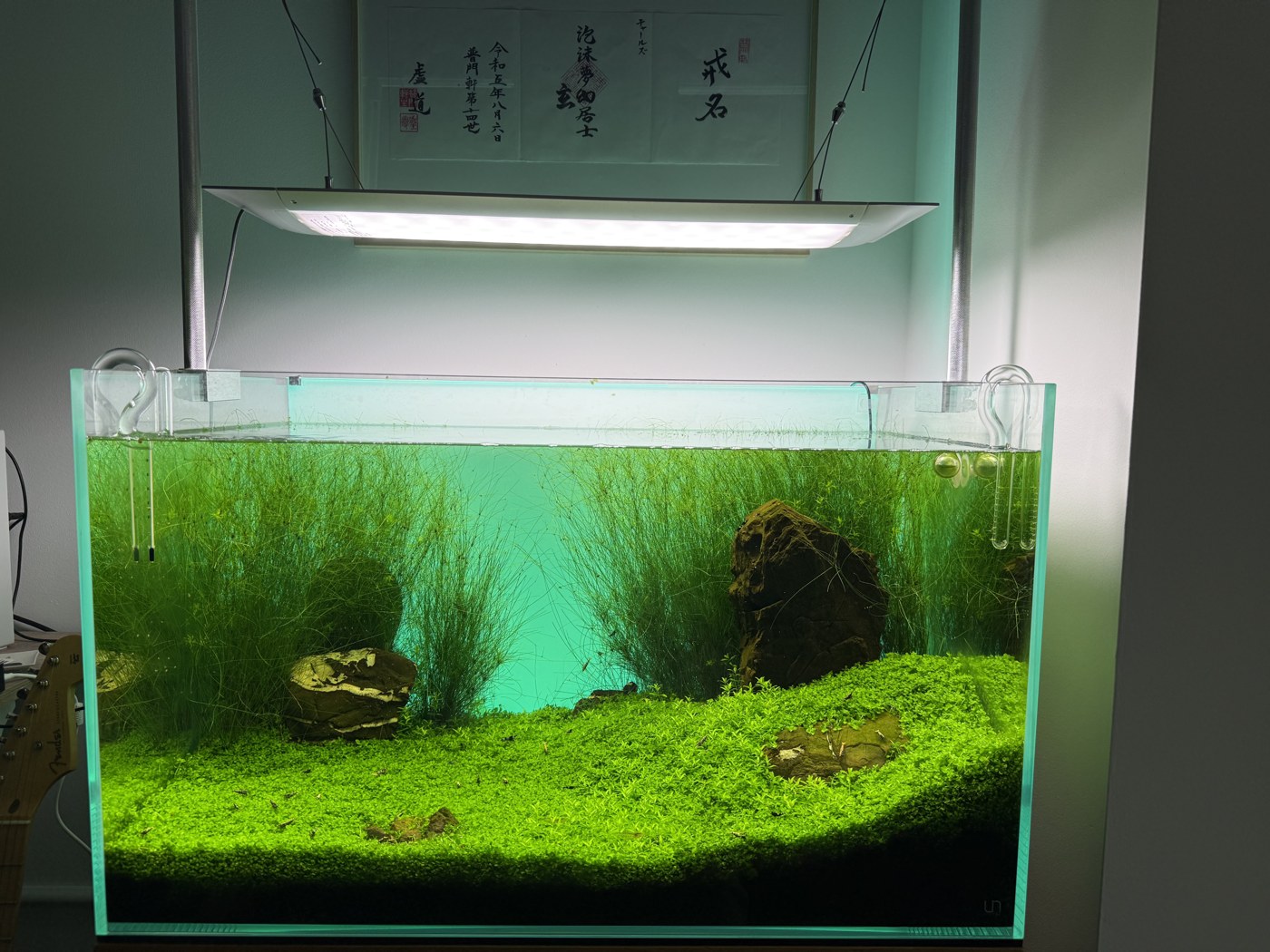 @charles · 45 gal UNS 90P · kept calm with Nagi
 @reefrider · 10 gal shrimp nano
 @mosswall · 20 gal planted
Only tanks you choose to share appear here — your data stays private by default.
Every tank you check gets saved here — give it a nickname, chat with Nagi about it any time, and generate a little rendering of it.